// Practice lab
CCNA lab 9: Standard and extended ACLs
Restrict SSH management to the staff VLAN, keep guests away from internal networks while allowing web and DNS, and read ACL hit counters.
1 min read#ccna#acl#security#lab
Objectives
- Use a standard ACL to limit SSH access to R1.
- Write and apply an extended ACL for the guest VLAN.
- Place each ACL correctly and verify with counters.
Starting point
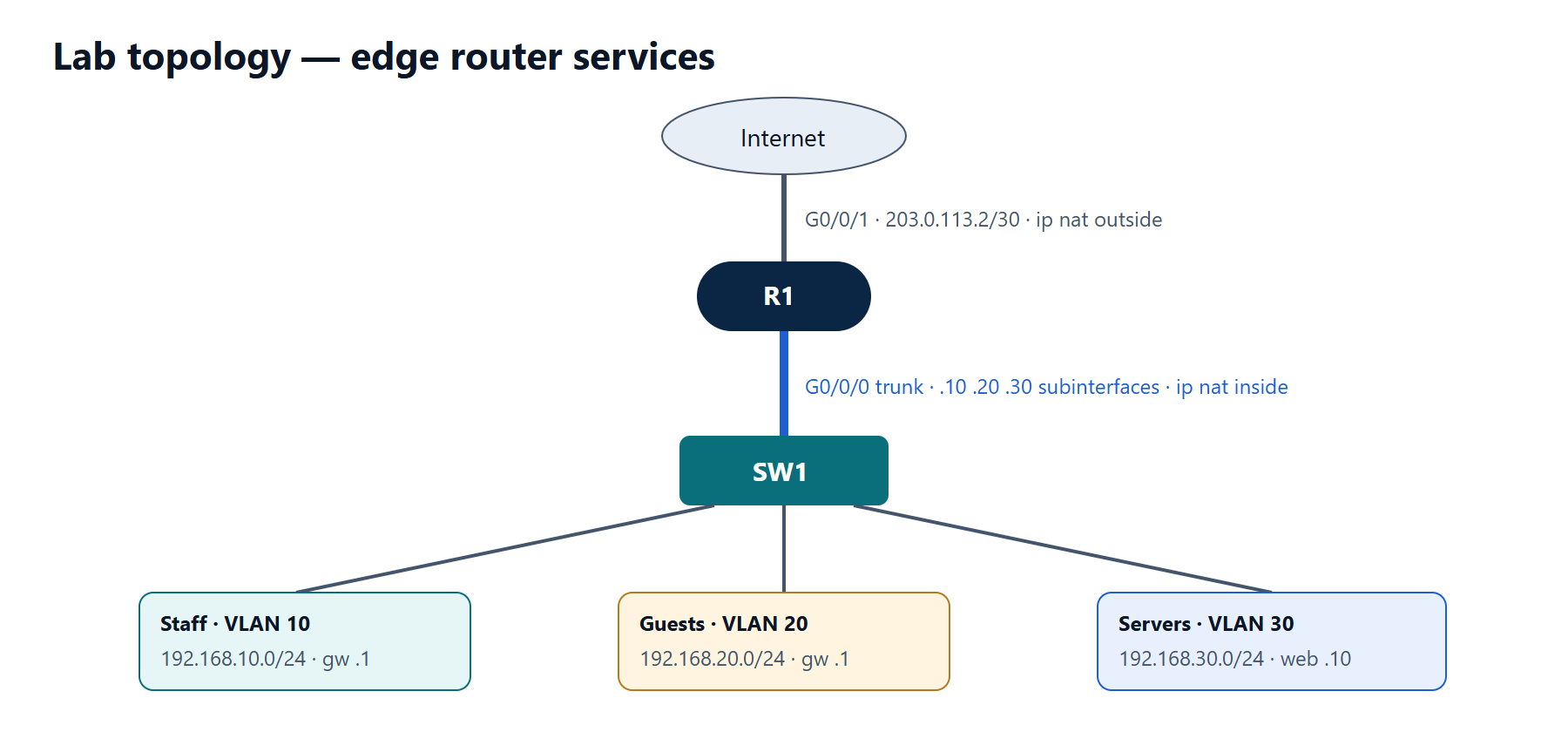
Lab 8 completed (three VLANs, DHCP, PAT). SSH enabled on R1 (as in lab 1).
Policy to implement
- Only hosts in 192.168.10.0/24 (staff) may SSH to R1.
- Guests (192.168.20.0/24) may:
- get DHCP (relayed by R1) and use DNS on 192.168.30.5,
- reach the internet on TCP 80 and 443,
- not reach staff, servers (except DNS) or R1 itself.
- Everything else from guests is dropped and logged.
Tasks
- Create and apply the management ACL to the VTY lines.
- Create the guest ACL and apply it in the right place and direction.
- Test each rule from a guest PC and watch the counters.
Verification
- From a guest PC: web to an outside server works; ping 192.168.10.x fails;
ssh 192.168.20.1fails. - From a staff PC: SSH to R1 works.
show access-listsshows increasing matches on the lines you tested.- Guest PCs still renew their DHCP leases (
ipconfig /renew).
Show the solution
R1(config)# ip access-list standard MGMT-SSH
R1(config-std-nacl)# permit 192.168.10.0 0.0.0.255
R1(config-std-nacl)# exit
R1(config)# line vty 0 15
R1(config-line)# access-class MGMT-SSH in
R1(config-line)# exit

R1(config)# ip access-list extended GUEST-IN
R1(config-ext-nacl)# remark DHCP requests to the relay (broadcast arrives on the subinterface)
R1(config-ext-nacl)# permit udp any any eq bootps
R1(config-ext-nacl)# remark DNS to the internal DNS server only
R1(config-ext-nacl)# permit udp 192.168.20.0 0.0.0.255 host 192.168.30.5 eq domain
R1(config-ext-nacl)# remark Block anything else to internal networks and to the router
R1(config-ext-nacl)# deny ip 192.168.20.0 0.0.0.255 192.168.0.0 0.0.255.255
R1(config-ext-nacl)# deny ip 192.168.20.0 0.0.0.255 host 203.0.113.2
R1(config-ext-nacl)# remark Web to the internet
R1(config-ext-nacl)# permit tcp 192.168.20.0 0.0.0.255 any eq www
R1(config-ext-nacl)# permit tcp 192.168.20.0 0.0.0.255 any eq 443
R1(config-ext-nacl)# deny ip any any log
R1(config-ext-nacl)# exit
R1(config)# interface GigabitEthernet0/0/0.20
R1(config-subif)# ip access-group GUEST-IN in
Why these choices:
- The extended ACL is applied inbound on the guest subinterface — as close to the source as possible, so denied traffic never reaches the routing decision.
- The DHCP line uses
any anybecause a client without an address sends from 0.0.0.0 to 255.255.255.255. - The
deny … 192.168.0.0 0.0.255.255line also blocks guests from R1's own inside addresses, including the guest gateway — that is what stops SSH and pings to the router. The extra line for 203.0.113.2 blocks the router's outside address. - Return traffic for permitted web sessions reaches guests because this ACL only filters traffic from guests; the reply direction has no ACL.