// Practice lab
CCNA lab 5: LACP EtherChannel
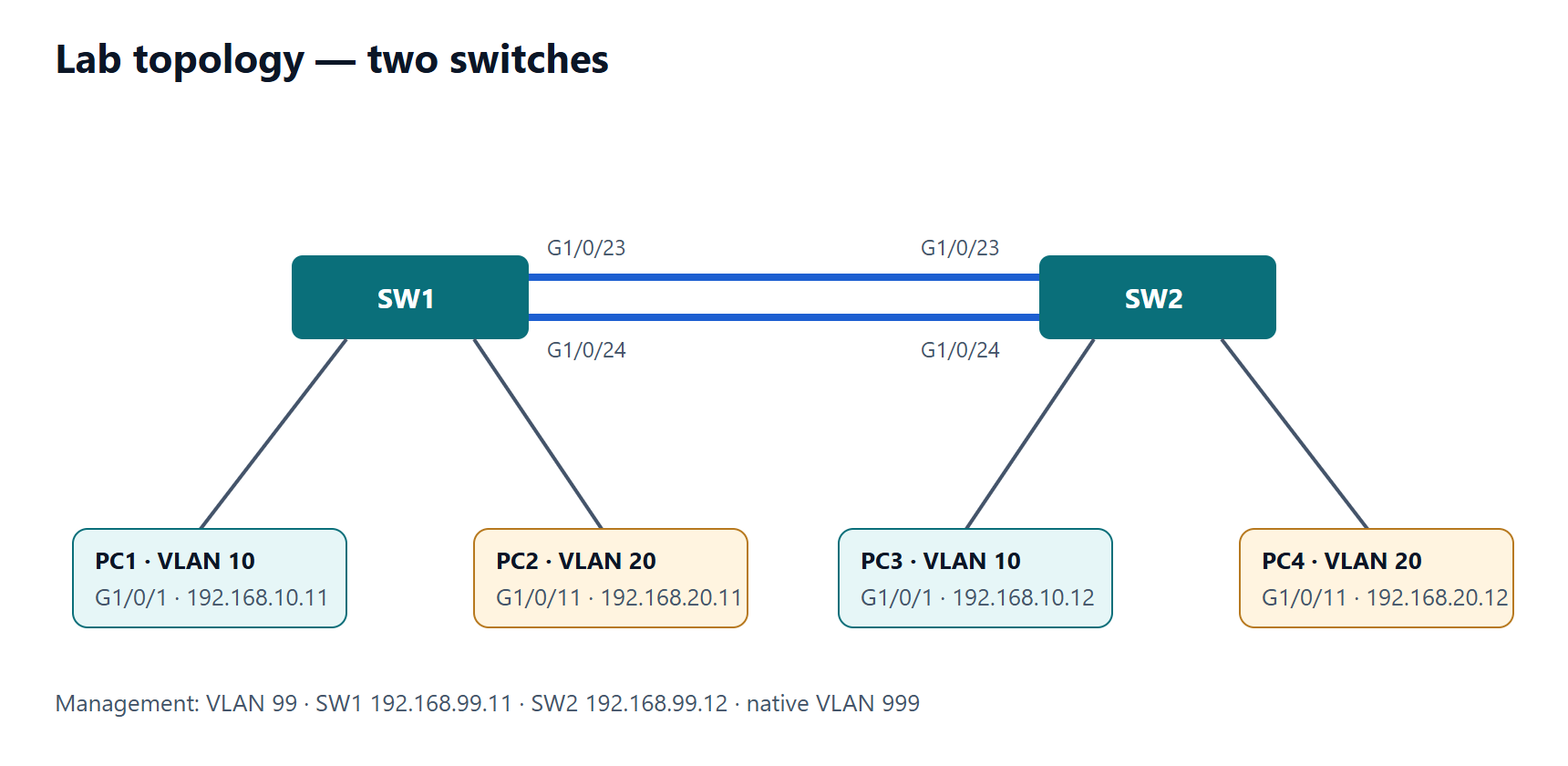
Bundle two links between SW1 and SW2 with LACP, run the trunk over the port-channel, and diagnose a suspended member.
1 min read#ccna#etherchannel#lacp#lab
Objectives
- Build a Layer 2 EtherChannel with LACP active on both sides.
- Configure the trunk on the port-channel interface.
- Recognise and fix a member that will not bundle.
Tasks
- Start from lab 2 (VLANs 10, 20, 99, 999 on both switches). Default G1/0/23 and G1/0/24 on both switches (
default interface range …). - Put G1/0/23–24 into channel-group 1 with LACP active on both switches.
- Configure Port-channel1 as a trunk: native VLAN 999, allowed 10,20,99, DTP off.
- Verify that both members are bundled and that STP sees one link.
- Break it: on SW2 only, set G1/0/24 to
speed 100. Observe and fix.
Verification
show etherchannel summary—Po1(SU)with both members(P).show interfaces trunk— Po1 is the trunk, not the physical ports.show spanning-tree vlan 10— Po1 appears as a single interface.show lacp neighbor— the partner's system ID and ports are listed.
Show the solution
On both switches:
SW1(config)# default interface range GigabitEthernet1/0/23 - 24
SW1(config)# interface range GigabitEthernet1/0/23 - 24
SW1(config-if-range)# no shutdown
SW1(config-if-range)# channel-group 1 mode active
SW1(config-if-range)# exit
SW1(config)# interface port-channel 1
SW1(config-if)# switchport mode trunk
SW1(config-if)# switchport trunk native vlan 999
SW1(config-if)# switchport trunk allowed vlan 10,20,99
SW1(config-if)# switchport nonegotiate
Task 5: G1/0/24 on SW2 shows (s) suspended (or (I) stand-alone) and logs a parameter mismatch; the channel keeps running on G1/0/23 only. Fix with no speed (or speed auto) on that member; it rejoins as (P).